.
Free POS Software for Small Businesses
Manage sales, products and inventory with free POS software designed
for small businesses. Track your stock, record payments and check
your sales and profit online.
What Is Free POS Software?
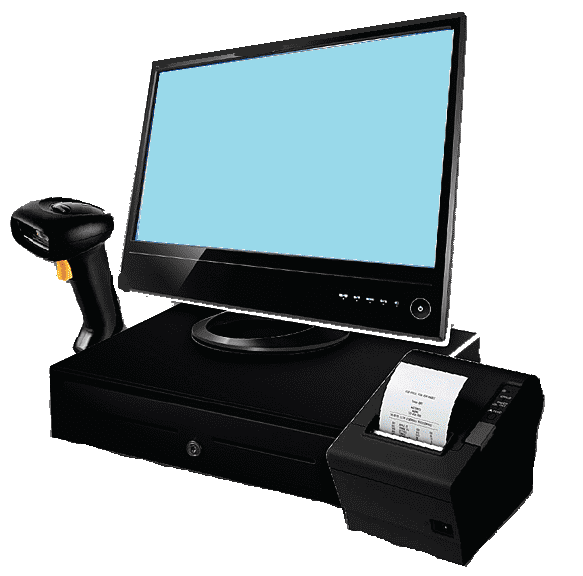
POS software helps businesses record sales and organize the information
they need to sell products every day. A POS system can also connect
sales with inventory, making it easier to keep track of the products
you have available.
Mi Punto de Venta Gratis is a web-based POS and inventory system
designed for small businesses that need a simple way to manage
products, sales, stock and business results.
What Can You Do With This Free POS Software?
The system brings together the basic tools needed to manage
everyday sales and product information in one place.
Record Sales
Find products by code or description, add them to a sale
and automatically calculate the amount due.
Manage Products
Add products with their code, description, cost price,
selling price, available quantity and low-stock level.
Track Inventory
When a sale is confirmed, the quantity sold is deducted
from the available inventory.
Check Sales and Profit
Review your sales, product costs and profit generated
from the transactions recorded in the system.
Record Sales Without Complicated Setup
The sales process is designed to keep the checkout simple while
connecting each confirmed sale with your inventory.
Find a Product
Search for a product using its code or description.
Add It to the Sale
Select the products and quantities being sold.
Check the Total
The system automatically calculates the total amount
for the transaction.
Confirm the Payment
Record whether the customer paid with cash or card.
Keep Your Inventory Up to Date
A POS system becomes more useful when sales and inventory work
together. Every confirmed sale updates the quantity of the
products that were sold.
Know What You Have in Stock
Add your products and record their available quantities.
When products are sold, the corresponding quantities are
deducted from your inventory.
You can also define a low-stock level for each product so
you can identify products that are approaching a critical
inventory level.
Manage Your Products in One Place
Keep the information you need to sell and manage your products
organized in your account.
Product Codes
Identify products using a barcode or numeric product code.
Product Descriptions
Add clear product descriptions so you can find products
quickly when making a sale.
Cost and Selling Prices
Store the cost price and selling price of each product
to help you understand the results of your sales.
Stock Quantities
Keep track of the number of units available for each product
and update product information whenever necessary.
Review Your Sales and Business Results
Recording sales is only part of managing a business. You also need
to be able to review what was sold and understand the results.
Filter by Date
Review sales recorded during a specific date range.
Filter by Product
Find sales related to a specific product.
Filter by Category
Review sales associated with a particular product category.
Check Your Results
Review the cost of goods sold, total sales, profit,
cash sales and card sales.
Sales Are Not the Same as Profit
Knowing how much your business sold is useful, but it does not
tell you how much you earned from those sales.
By recording both the cost price and selling price of your products,
the system can provide information about the cost of the products
sold, total sales and profit generated by your recorded transactions.
See More Than Your Total Sales
Use the sales information in your account to understand the
relationship between product costs, sales and profit.
Use Your POS Online
Mi Punto de Venta Gratis is a web-based POS system. You can access
your account from a compatible device with an Internet connection.
Your POS and Inventory in One Web Application
Because the system works online, you do not need to install the
application locally on a single computer. Sign in to your account
when you need to record sales or check your business information.
Built for Small Businesses
The system is designed for small shops and businesses that need
a simple way to manage products, sales and inventory.
What Does “Free” Mean?
Mi Punto de Venta Gratis is designed to provide a free POS and
inventory solution for small businesses that want to organize
their daily sales and products without paying a monthly software fee.
No Trial Period
This is not a temporary trial that requires a subscription after
a limited number of days. You can create an account and start
using the available features for free.
Payment processing is not included as a service provided by
Mi Punto de Venta Gratis. You can record whether a sale was
paid by cash or card.
How to Get Started
You can start organizing your business in just a few steps.
Create Your Account
Register for free to access the web application.
Add Your Products
Enter your products, prices and available quantities.
Start Recording Sales
Record your sales and keep your inventory information updated.
Frequently Asked Questions
Is this POS software really free?
Yes. Mi Punto de Venta Gratis provides a free POS and inventory
system without requiring you to purchase a software subscription
to start using the available features.
Does the POS include inventory management?
Yes. You can add products, quantities, prices and low-stock levels.
Confirmed sales automatically deduct the quantities sold from
your inventory.
Can I record cash and card sales?
Yes. When confirming a sale, you can record whether the payment
was made with cash or card.
Can I see my profit?
Yes. The sales section provides information about the cost of
products sold, total sales and profit generated from recorded
transactions.
Do I need to install the POS software?
No. It is a web-based application. You can access your account
from a compatible device with an Internet connection.
Is it suitable for small retail businesses?
Yes. It is designed for small shops and businesses that need
to manage products, sales and inventory in a simple way.
Explore POS and Inventory Features
Learn more about the different ways you can use the system.
Free POS System
Learn more about using a free POS system to record
and manage your sales.
Free Inventory Management
Learn how to organize products and track inventory
for your small business.
POS for Small Business
Discover how a simple POS can help small businesses
manage everyday sales and products.
Inventory Management Software
Learn more about managing products, stock quantities
and inventory information online.
Start Using Free POS Software Today
Manage your products, record sales, track inventory and check
your business results online.