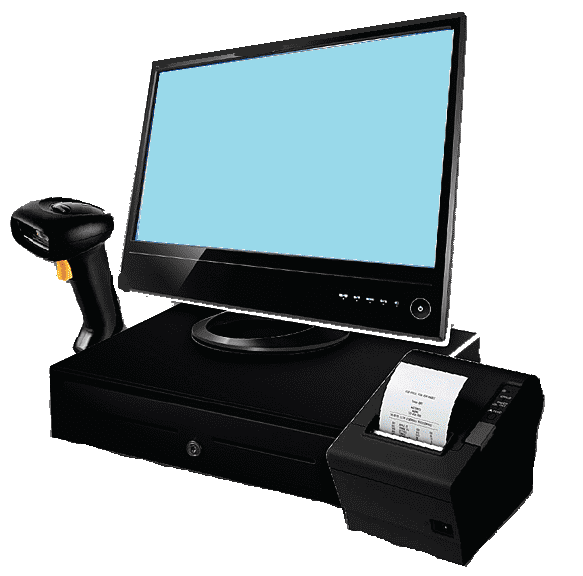
Free POS System for Small Businesses
Run your sales and inventory with a simple free POS system designed for small businesses.
Add products, record sales, update inventory and check your results online.
No trial period. No monthly subscription. Create your account and start using
the system for free.
What Is a POS System?
A POS system, or point-of-sale system, is software that helps a business
record and organize its sales. Instead of keeping sales information only
on paper or in separate spreadsheets, a POS system connects products,
sales and inventory in one place.
This free POS system is designed for small stores and businesses that need
a practical way to keep track of what they sell, what they have in stock
and how their sales are performing.
Record Sales
Find products, add them to a sale and automatically calculate the
total amount to pay.
Manage Inventory
Keep your products and quantities organized and update inventory
when sales are completed.
Check Your Results
Review sales, costs and profit so you can better understand what is
happening in your business.
How This Free POS System Works
The system follows a simple process designed for everyday retail sales.
Your products are registered first, then they can be used when making a sale.
Add Your Products
Register your products with their code, description, cost price,
selling price and available quantity.
Make a Sale
Find a product by its code or description and add it to the current sale.
Confirm Payment
Confirm the sale and record whether the payment was made with cash
or card.
Inventory Is Updated
Once the sale is confirmed, the quantity sold is deducted from
your inventory.
Sell Products and Keep Your Sales Organized
A POS system should make the sales process easier. With this free POS system,
you can search for a product using its code or description and add it to
the current sale.
Quick Product Search
Find products using their identification code or description instead
of searching through a paper list.
Automatic Total
The system calculates the total amount of the products included
in the sale.
Cash or Card
Record whether a completed sale was paid in cash or by card.
Inventory Connection
When a sale is confirmed, the quantity sold is deducted from
the corresponding product inventory.
Important: This Is Not a Payment Processor
The system records the payment method used for a sale, such as cash
or card. It does not process card payments or replace your bank,
payment terminal or payment processor.
Inventory Management Included
Your POS and inventory work together. When you register a sale,
the corresponding product quantity is reduced automatically.
This helps keep your inventory information connected to your sales.
Register Products
Add a code or barcode, product description, cost price, selling price,
quantity and critical stock level.
Search Your Inventory
Search products by code or description to quickly find the information
you need.
Set a Critical Stock Level
Define a critical quantity for your products so you can identify
items that are getting close to a low-stock level.
Edit or Delete Products
Keep your catalog organized by consulting, modifying or deleting
products when necessary.
If your main goal is inventory management, you can also learn more on our
free inventory management software
page.
See More Than Just Your Daily Sales
Recording sales is only part of running a business. You also need to
understand the results those sales produce.
The reporting section allows you to review your confirmed sales and
filter the information by date range, product or category.
Total Cost
See the total cost associated with the products sold during
the selected period.
Total Sales
Review the total amount generated by your recorded sales.
Profit
Compare your product costs with your sales to see the profit
generated by the recorded transactions.
Cash and Card Sales
See how much of your recorded sales corresponded to cash
and card payments.
Sales Are Not the Same as Profit
A business can sell a lot and still have a smaller profit than expected.
Looking at sales together with product costs gives you a clearer view
of the results of your business.
A Web-Based POS System
This is a web-based POS system. You can access it from a compatible device
with an Internet connection, without depending on a traditional desktop
POS installation.
Computer
Use the system from a desktop or laptop computer with a compatible
web browser.
Tablet
Access your business information from a compatible tablet connected
to the Internet.
Other Compatible Devices
Use the system from other compatible devices that can access
your account online.
Designed for Small Retail Businesses
A small business does not necessarily need a complicated POS system.
This free POS system focuses on the basic connection between products,
sales, inventory and business results.
Products, sales and inventory
Fast product lookup and sales recording
Product catalog and stock control
Sales and product inventory
Products, categories and stock
Inventory organization and sales
What Does “Free POS System” Mean?
Free means you can create an account and use the system without paying
a monthly subscription or purchasing a license to start using the basic
service.
No Trial Period
This is not a 7-day, 14-day or 30-day trial that automatically
requires payment afterward.
No Monthly Subscription
You do not need to subscribe to a paid plan just to continue using
the free service.
No Software License to Buy
The system is provided online, so you do not need to purchase a
traditional desktop software license to start.
If you want to understand the broader features of the platform,
visit our
free POS software
page.
How to Start Using the Free POS System
Create Your Account
Register your account using the online registration page.
Add Your Products
Enter your products, prices, quantities and other basic information.
Start Selling
Search for products, create sales and record the payment method.
Check Your Results
Review your sales, costs and profit through the reporting section.
Free POS System FAQ
Is this POS system really free?
Yes. You can create an account and use the system without a monthly
subscription or a trial period that expires after a few days.
Is this a free POS trial?
No. The service is designed to be available for free rather than
functioning as a temporary trial of a paid POS system.
Can I manage inventory with the POS system?
Yes. You can register products, quantities, prices and critical stock
levels. Confirmed sales also deduct the corresponding quantities
from inventory.
Can I record cash and card sales?
Yes. When confirming a sale, you can record whether the payment
was made with cash or card. The system records the payment method
but does not process the card transaction.
Can I see my profit?
Yes. The reporting section can show total product cost, total sales
and the resulting profit for the selected sales information.
Do I need to install software on my computer?
No traditional desktop installation is required. The system is
web-based and can be accessed through a compatible device with
an Internet connection.
What type of business can use it?
It can be useful for small retail businesses such as grocery stores,
convenience stores, stationery stores, liquor stores, cosmetics stores
and small warehouses.
Ready to Try a Free POS System?
Register your account, add your products and start organizing your
sales and inventory online.